T3 Code Review: The Open-Source Control Plane for Coding Agents & Real Feedback from X
The Next Bottleneck: When Single-Threaded Agents Hit the Ceiling
By late 2025 and 2026, autonomous terminal agents like Claude Code, OpenAI Codex, and Google Antigravity completely rewrote how developers build software. We moved from autocompleting individual functions in an IDE to delegating entire multi-file features, architecture refactors, and test suites to autonomous agents running directly in our shells.
Yet every developer who pushed agents beyond trivial hello-world demos ran straight into the orchestration wall:
- The Terminal Lockout: When an agent kicks off an 8-minute refactoring and test-validation run, your prompt is blocked.
- Git Workspace Collisions: Attempting to launch a second agent in another terminal tab within the same repository produces fatal conflicts—agents overwrite each other’s unstaged buffers, clobber shared lockfiles, and derail git commits.
- Multi-Subscription Fragmentation: You pay for Claude Pro/Max, ChatGPT Plus/Team, and Cursor or Antigravity, but each tool exists in its own isolated silo with distinct keybindings, terminal harnesses, and review styles.
- The "Tethered to the Desk" Trap: You cannot easily step away from your workstation while a 15-minute agent loop executes without risking stalled approval prompts.
Enter T3 Code (t3.codes), an open-source, local-first control plane for AI coding agents created by Theo Browne (@t3dotgg) and Julius Marminge under Ping Labs (github.com/pingdotgg/t3code).
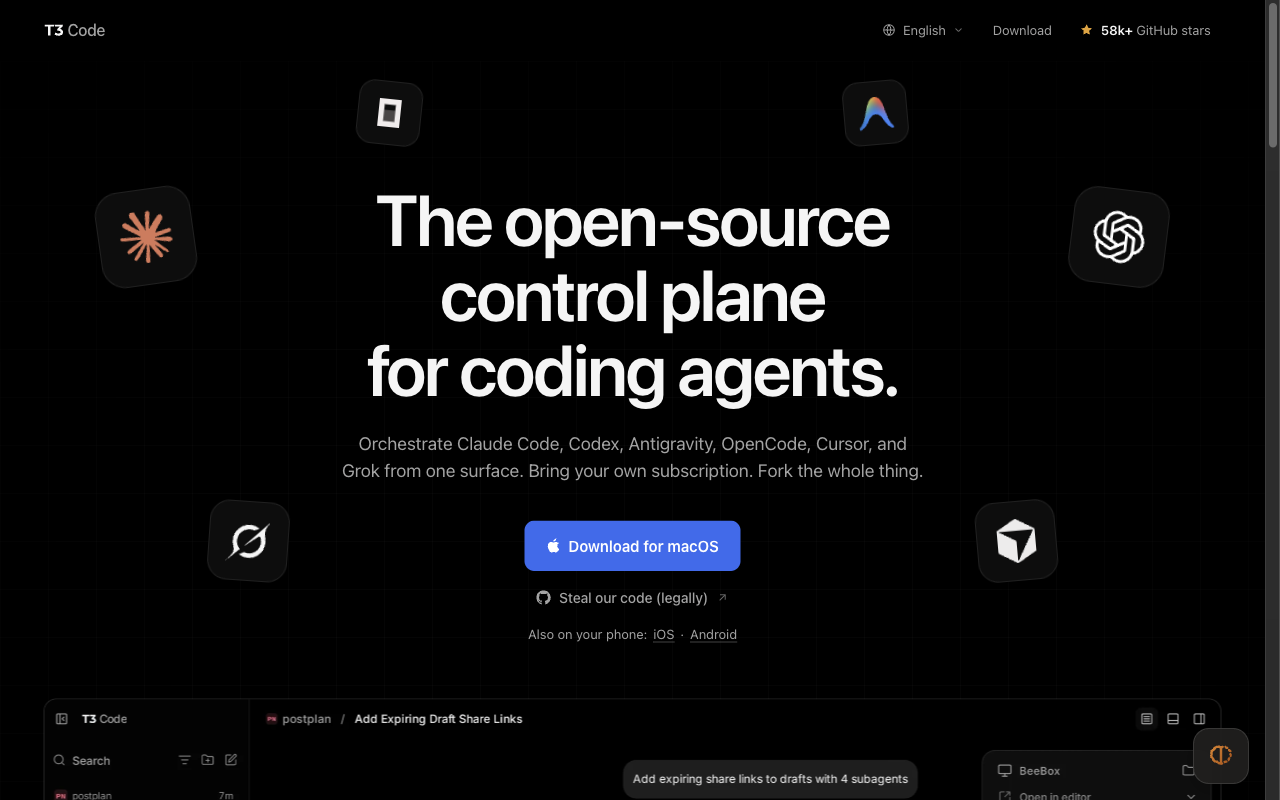 Figure 1: The official T3 Code portal at t3.codes—orchestrating Claude Code, Codex, Antigravity, OpenCode, and Cursor from a single local-first surface.
With over 58,000 GitHub stars and more than 500,000 developers onboard, T3 Code has rapidly emerged as the de-facto cockpit for modern agentic workflows.
Real Feedback from X (Twitter) & Industry Titans
What makes T3 Code particularly notable is that it hasn't just caught on with hobbyist vibe coders—it has won over some of the most vocal, discerning engineering leads and open-source creators on X.
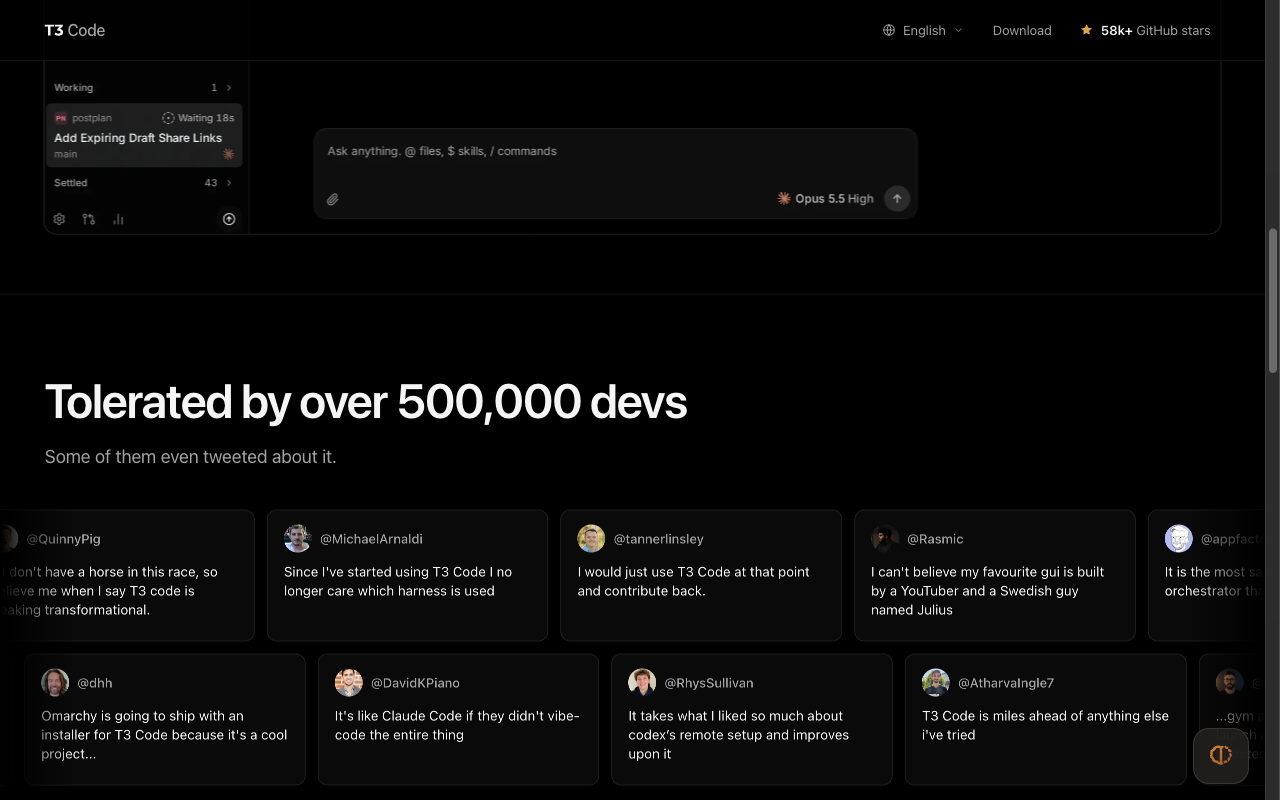 Figure 2: Real reactions and field reports from engineers and open-source maintainers on X.
Here is what prominent builders on X are saying after running real production workloads through T3 Code:
1. What Tech Titans & Maintainers Are Saying
"Omarchy is going to ship with an installer for T3 Code because it's a cool project..."
"It's like Claude Code if they didn't vibe-code the entire thing"
"I would just use T3 Code at that point and contribute back."
"Since I've started using T3 Code I no longer care which harness is used"
"...I don’t have a horse in this race, so believe me when I say T3 code is freaking transformational."
"I was 2,000 miles away on holiday and able to do iOS development from just my phone"
"...I am in awe about how it connects to a remote VM seamlessly with no Tailscale"
"T3 Code is proof electron apps don't have to suck"
2. Key Takeaways from the Community Feedback
- Harness Neutrality: As Michael Arnaldi noted, developers are tired of betting their entire team's workflow on one specific vendor harness. T3 Code decouples the orchestration UI from the underlying CLI agent. If Claude has an API outage or hits an hourly rate limit, you can immediately switch that thread to Codex or Antigravity without altering your workflow.
- True Remote Freedom: Developers like Joshua Riley and Linus (@linuz90) love being able to check approval prompts or trigger follow-up tasks from their phone while away from their desk or at the gym.
- No Network Hassle: Rather than requiring developers to set up VPNs, SSH tunnels, or custom Tailscale subnets, T3 Code’s peer connect architecture links remote clients and web sessions seamlessly.
Deep Dive: The 5 Core Architectural Superpowers of T3 Code
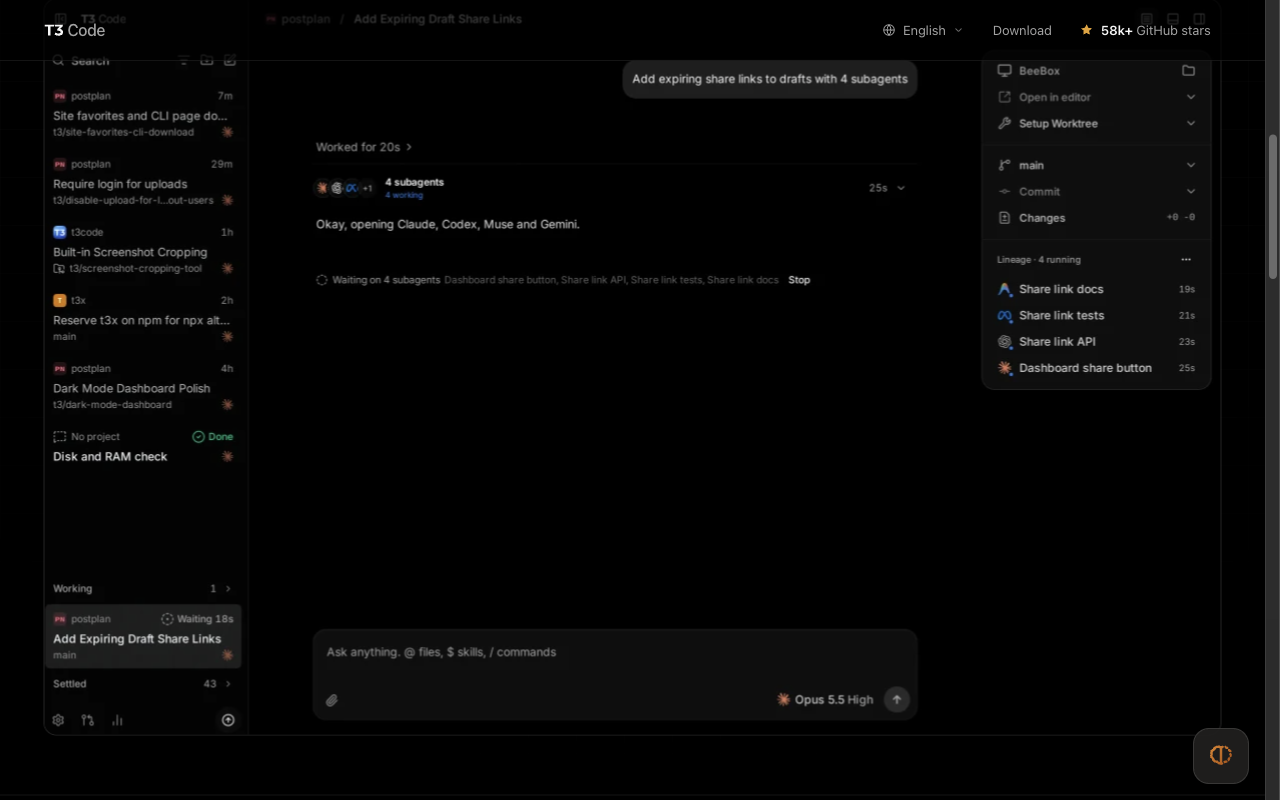 Figure 3: Inside T3 Code—running parallel threads across Claude Code, OpenAI Codex, and Gemini subagents with real-time diff streams and unified approvals.
1. Bring Your Own Subscription (BYOS) — Zero Token Markups
Most commercial agent interfaces are glorified token resellers: they charge $20 to $100/month for a seat, and then bill you a 30% to 100% markup on top of raw LLM API rates.
T3 Code flips the model completely:
- It does not resell tokens.
- You bring your existing subscriptions—whether you use Claude Code via your Claude Pro/Team plan, OpenAI Codex via ChatGPT Plus, Google Antigravity, or local open weights via Ollama/OpenCode.
- The software itself is 100% free and MIT open source.
2. Automated Git Worktree Isolation
Running multiple terminal agents in the same repository used to guarantee merge conflicts and clobbered files. T3 Code automatically provisions an isolated Git worktree and dedicated branch for each thread.
- Thread A can run a deep database migration on
feat/pgvector-search. - Thread B can simultaneously overhaul Tailwind styles on
fix/mobile-nav. - Neither thread sees or mutates the other’s working files until you explicitly decide to review and merge.
3. One-Click PR Machine with Inline Diffs
Instead of copying git diffs, writing commit messages by hand, and jumping to GitHub to compose a pull request, T3 Code streamlines the entire handoff:
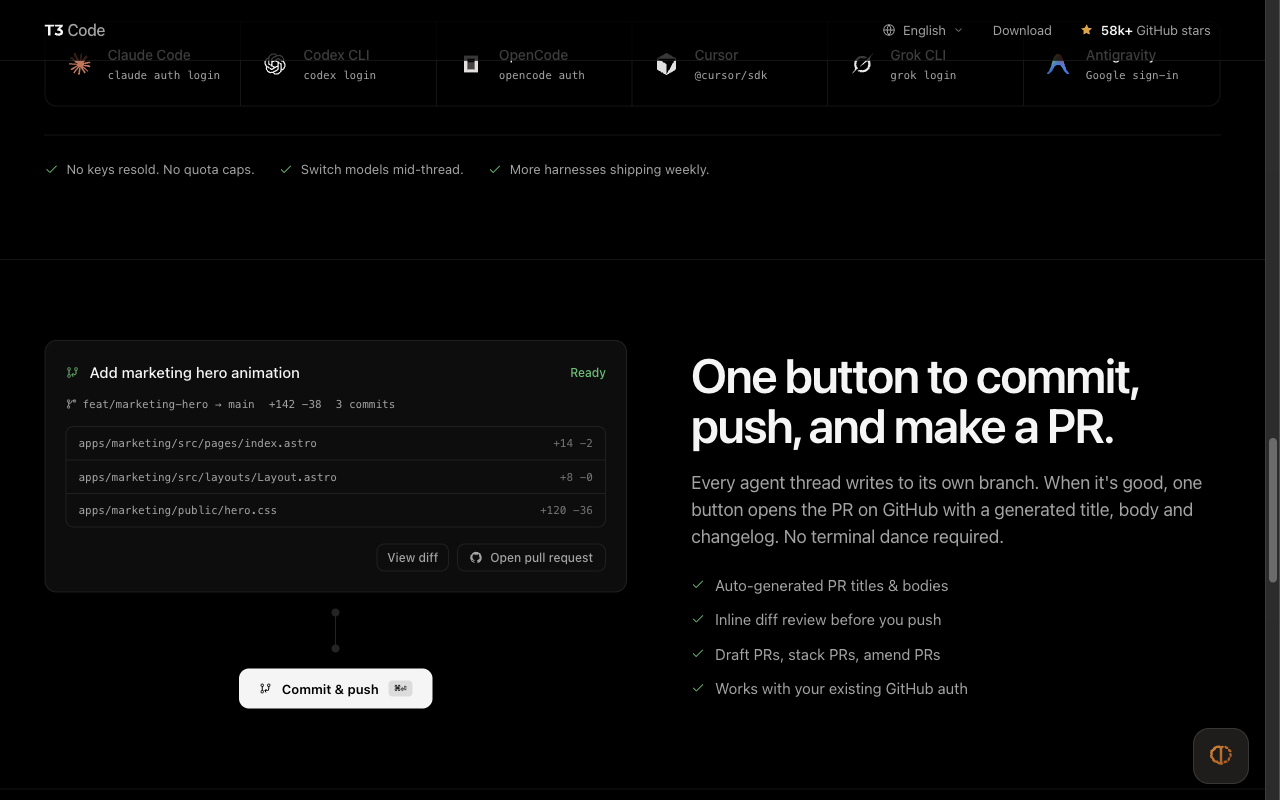 Figure 4: Inline diff inspection and automated PR generation with auto-generated titles, changelogs, and branch stacking.
- Visual Inline Diffs: Granular syntax highlighting lets you accept, reject, or prompt edits before any code touches your repository.
- Auto-Generated Metadata: T3 Code parses the agent’s conversation transcript, Git changesets, and test logs to draft clean PR titles, structured summaries, and changelogs.
- GitHub Auth Native: Directly integrates with your existing
ghCLI credentials to push branches and open draft or stacked PRs with one click.
4. Frictionless Remote Steering (Desktop · Web · iOS · Android)
T3 Code runs a lightweight local daemon on your host workstation. You can interact with it via:
- The native desktop app (macOS, Windows, Linux).
- The web interface at
app.t3.codes. - The native mobile apps on iOS and Android.
When an agent needs terminal confirmation to execute a high-impact shell command (rm -rf or database drops), you get a prompt on your phone, inspect the command, and tap Approve or Reject in real time.
5. 100% Open Source & Forkable
In an industry increasingly dominated by closed-source IDEs, T3 Code is licensed under MIT. Theo’s philosophy is explicit: "If you don't like something, fork it. Steal our code (legally)." The active open-source community already contributes custom plugins, harness connectors, and workflow automation extensions daily.
Head-to-Head Comparison: The 2026 Agent Orchestrator Landscape
| Capability | T3 Code (t3.codes) |
Orca ADE (onorca.dev) |
Cursor (Composer) | Raw Tmux + Claude Code |
|---|---|---|---|---|
| License | Open Source (MIT) | Open Source (MIT) | Closed Source (Proprietary) | Open Source CLIs |
| Pricing | 100% Free (BYO Sub) | 100% Free (BYO CLI) | $20/mo Pro | API Pay-as-you-go |
| Harness Support | Claude Code, Codex, Antigravity, OpenCode, Cursor, Grok | Claude Code, Codex, OpenCode | Native Cursor Model API | Single CLI per pane |
| Git Worktree Isolation | ✅ Built-in per thread | ✅ Built-in per thread | ❌ Single working copy | ⚠️ Manual git commands |
| Diff Review & PR Creation | ✅ 1-Click Auto PR & Changelogs | ✅ Built-in Diff Viewer | ✅ Granular file diffs | ❌ Manual terminal git |
| Remote Mobile Supervision | ✅ Native iOS & Android + Web | ✅ Companion App | ❌ Desktop only | ❌ Complex SSH/Mosh |
| Remote VM Connect | ✅ Built-in P2P (No VPN needed) | ⚠️ Local-first focus | ❌ Requires SSH remote extension | ⚠️ Requires Tailscale/SSH |
The Honest Caveats & "The Catch"
While T3 Code solves the UX fragmentation of agentic coding, power users should be mindful of three real-world dynamics:
When you unleash 3 to 4 agents simultaneously, they can collectively generate 1,500 lines of code across 30 files in under 15 minutes. You stop being a code typist and instantly become a high-throughput code reviewer. If you approve agent PRs without thorough diff inspection and test validation, architectural drift and subtle hallucinations compound rapidly.
- Token Velocity: Because T3 Code makes firing up new agent threads effortless, you can easily burn through an entire week’s Anthropic or OpenAI subscription quota in a single afternoon. Monitor your API dashboard and set hard budget limits.
- Local Port & Database Conflicts: While Git worktrees isolate your code files, they share the same physical machine. If Thread A and Thread B both execute
npm run devon port 3000, or attempt to mutate the same local SQLite database file, conflicts occur. Use dynamic port assignment (PORT=0or environment variables) for parallel workers.
Quick Start: Getting Started with T3 Code in 2 Minutes
Step 1: Install the Desktop App or Clone the Source
Visit t3.codes and download the macOS, Windows, or Linux installer.
Alternatively, clone the repository directly:
git clone https://github.com/pingdotgg/t3code.git
cd t3code
pnpm install && pnpm dev
Step 2: Open Your Repository
Launch T3 Code and select your repository folder, or run from your terminal:
t3-code .
Step 3: Connect Your Preferred Agent Harnesses
In the settings panel, authenticate with the agent CLIs you already have installed:
- Claude Code: Uses your existing
claude loginOAuth token. - OpenAI Codex: Uses your
OPENAI_API_KEYor ChatGPT token. - Antigravity: Links directly to your local Google Antigravity installation.
Step 4: Dispatch Parallel Threads
Click New Thread, select your harness, and assign a task:
Thread 1 (Claude Code): "Implement PKCE OAuth flow for GitHub provider and write integration tests"
Thread 2 (Codex): "Audit responsive typography in landing hero across mobile viewports"
Each thread automatically spins up its own Git worktree branch, streams progress, and provides a one-click PR button upon completion.
The Verdict
T3 Code isn't trying to build another proprietary AI model or lock you into another recurring subscription. Instead, it solves the human-agent interface problem—giving developers an air-traffic control deck to orchestrate the best terminal harnesses available, isolate their git branches, review diffs with confidence, and supervise their work from anywhere.
If you are running Claude Code, Codex, or multi-agent CLI workflows in production, T3 Code is an essential addition to your vibe coding arsenal.
Explore Further:
- Check out our curated T3 Code Tool Page for feature breakdowns, specs, and community tips.
- Pair T3 Code with our guide on Running Parallel Claude Code Fleets with Orca.
- Explore our curated directory of agent harnesses on the Vibe Coding Directory.